Function Calling vs Tools: What's the Difference?
2026-11-10

Function calling and tool use describe the same mechanism seen from two angles. A tool is anything an AI assistant can invoke. A function is one specific, schema-defined kind of tool. Function calling is the API feature that lets a model ask your code to run one. In practice, vendors use the two terms interchangeably, and the real differences only matter when you design or host an agent.
This guide separates the vocabulary from the mechanics, walks through what happens on each call, and shows how MCP, structured output and plain APIs fit in. It ends with what it means for running an assistant day to day.
TL;DR
- Same mechanism, two names. Major vendors call it function calling, tool calling or tool use, and treat them as synonyms in their docs.
- Tool is the category, function is the case. A function is a tool defined by a JSON schema. Tools also include built-in web search, code execution and MCP servers.
- The model never runs anything. It outputs a structured request, and your application (or the provider's servers, for built-in tools) executes it.
- MCP and function calling are not rivals. Function calling decides *what* to call; MCP standardizes how tools are described and served.
- Permissions belong in your code, not in the prompt.
Table of Contents
- The short answer: how the two terms relate
- How a tool call actually works
- Where tools run: client tools and server tools
- Function calling vs MCP
- Function calling vs structured JSON output
- Function calling, tools and APIs
- What you need to set up and control
- Our perspective
- Putting tools to work without running the servers
- Choosing the right approach
- FAQ
- Sources
The short answer: how the two terms relate
OpenAI describes function calling, also known as tool calling, as a way for models to reach external systems and data outside their training. In its terminology a function is one kind of tool, defined by a JSON schema, sitting next to custom tools and built-in platform tools such as web search, code execution and MCP server access.
Anthropic uses the other name. Its documentation says tool use, also called function calling, lets Claude call functions you define or ones Anthropic provides. Google's Vertex AI docs use the same pairing: function calling, also known as tool use.
So if you are reading two vendors' docs and wondering whether you are looking at two different features, you are not. One glossary puts it plainly: tool calling and function calling are one mechanism under two vendor names, with "tool" as the broad category and "function" as the schema-defined case inside it.
Where people draw a finer line
Some writers do separate the terms. JetBrains frames function calling as the API-level mechanism in which the model generates a structured call to a defined function, and tool use as the broader concept covering anything an agent can invoke: function calls, API requests, browser interactions or code execution. It also notes that function calling is the main way tool use is implemented in agent frameworks such as LangChain and LlamaIndex.
That is a useful mental model, and it is the one we use here:
| Function calling | Tool use | |
|---|---|---|
| Level | A specific API feature | The broader capability |
| What it is | The model returns a structured call: function name plus JSON arguments | Anything an agent can invoke to extend what it can do |
| Examples | A `get_weather(city)` function you define | Function calls, web search, code execution, browser actions, MCP servers |
| Who decides the schema | You, the developer | You, the provider, or an MCP server |
The forum threads that rank for this query show the same confusion at the API level. Older OpenAI interfaces had a functions parameter, later replaced by a tools list, and the docs for that era noted that functions were the only tool type supported at the time. The naming shift was a generalization, not a new capability. Today the list can hold more than functions.
How a tool call actually works
The most common misconception is that the model executes the function. It does not. A widely read explanation of the topic makes the point that the model only generates parameters for potential calls and your application decides what to do with them.
OpenAI documents the flow in five steps:
- Send a request to the model along with the tools it may call.
- Receive a tool call from the model, containing the function name and JSON-encoded arguments.
- Execute code on your side using the arguments from that call.
- Send a second request to the model with the tool's output.
- Receive a final response, or more tool calls.
The same function calling guide adds a practical rule: a response can contain zero, one or several calls, so assume there may be several. If a function returns nothing useful, return a string saying whether it succeeded or failed.
A worked example
Suppose you give an assistant one function, create_calendar_event, with parameters for title, date and time. You write: "Book a call with Dana next Tuesday at 3."
- The model does not touch your calendar. It returns something like a call to
create_calendar_eventwith a title, a resolved date and15:00. - Your code validates the date, checks that the user may write to that calendar, and creates the event.
- Your code sends back "event created, ID 4821."
- The model replies in plain language: "Done, you're booked for Tuesday at 3 p.m."
Every decision with consequences happened in your code. JetBrains points out that this separation is what makes agent actions auditable and sandboxable, since each loop iteration grounds the next decision in real output rather than inference.
Who decides when to call
The model decides, within limits you set. With Anthropic's default setting, Claude determines on each turn whether to call a tool or answer directly. You can constrain this with tool choice settings, which is useful when a step must always happen.
Where tools run: client tools and server tools
Here the vocabulary starts to pay off. Anthropic says tools differ mainly by where the code runs. Client tools run in your application, while server tools run on Anthropic's infrastructure. The server tools it lists are web search, web fetch, code execution and tool search.
OpenAI draws a similar line between your own functions and its built-in tools. If you are weighing how much plumbing to own, the trade-offs are close to those covered in shipping AI features without rewrites: decide early which actions run in your application and which a provider hosts, because that choice shapes your security boundary and your maintenance load.
A rule of thumb:
- Use your own functions when the action touches your data, your accounts or your business logic.
- Use provider-hosted tools for generic capabilities such as search or sandboxed code, where you would rather not run the infrastructure.
- Use remote MCP servers when the capability already exists as a standardized service.
Function calling vs MCP
People often ask whether the Model Context Protocol replaces function calling. It does not. One analysis describes function calling as a translation mechanism, where the model outputs a JSON payload naming a function and its arguments. MCP is a transport protocol for talking to a decoupled execution environment, and function calling can serve as the interface for invoking an MCP server.
Another write-up splits it by job: function calling is how a model decides to use a tool, while MCP is how tools are defined, hosted and served. In the five-step loop above, MCP standardizes the first step (defining tools) and the last (executing and returning results).
Platform docs reflect this. OpenAI says that besides tools you expose with function calling, you can give models new capabilities with remote MCP servers. When the model decides to call an MCP tool, the API contacts the remote server and puts the output into the model's context.
The practical difference is flexibility versus control. Martin Fowler's site explains that with hardcoded tools an agent's ability to adapt is limited but it is easier to secure. With MCP the agent can ask a server at runtime which tools exist, which suits systems that evolve.
If you want the bigger picture of how these pieces stack together, our guide to AI agent architecture covers it.

Function calling vs structured JSON output
Both produce JSON, so they look alike. The distinction is intent. Structured output asks the model to shape its *answer* in a format your code can parse: a summary with fixed fields, say. Function calling asks the model to request an *action or lookup* and then continue the conversation once your code reports back.
A quick test: if the JSON is the final product, you want structured output. If the JSON is a request that something happen before the answer is finished, you want function calling.
Function calling, tools and APIs
An API is the interface of an external service: endpoints, parameters, authentication. A tool, from the model's point of view, is a description of something it may ask for: a name, a purpose and a parameter schema. Between the two sits your code, which turns the model's structured request into a real API request and turns the response back into text or data the model can read.
So the three layers are:
- The API is the service that does the work.
- The function or tool definition is how the model learns the work is available.
- The function call is the model's request to use it.
Google's Gemini docs list three main uses for this pattern: taking actions through APIs, augmenting knowledge from databases and other sources, and extending capabilities such as computation. A single tool can serve more than one of those.
What you need to set up and control
Defining a function is the easy part: a name, a description and JSON Schema parameters, sent with the request. Running it safely is where the work is.
Google's best-practice list for Gemini is a good checklist:
- Keep the active tool set to roughly 10 to 20 tools at most.
- Use descriptive names without spaces or special characters.
- Use specific types such as integer, string and enum.
- Validate function calls before executing them.
- Implement robust error handling.
- Use proper authentication for external APIs.
(All from the Gemini function calling guide.)
On permissions, the Harvard Chan School's explainer is blunt. The application should validate requests, enforce access limits and handle failures, and reading a record, proposing a change and making that change should be separate permissions. It also warns that a description in a prompt cannot replace real access controls. Arize makes the same point from the engineering side: because the model only emits a request, the security boundary, validation and responsibility for a bad call sit with the developer.
Failure handling deserves its own mention. The Harvard piece gives a clean example: if a connection fails, the system should report that it could not check, rather than conclude a document does not exist. Return honest errors from your functions so the model can too.
One more detail that trips people up: support differs by model. OpenAI's tools guide notes that tool search is only available on gpt-5.4 and later models, so check the model you are using before you design around a feature.
Our perspective
> Most people who ask us about function calling versus tools are really asking a different question: who is going to run all of this?
>
> The concept is simple. The operations are not. A useful assistant needs tool definitions kept current, credentials stored safely, connections to Telegram, Discord, Slack or WhatsApp kept alive, memory that persists between sessions, and a server that is up when you message it at 2 a.m. Every one of those is a place where a self-hosted setup can quietly break.
>
> We built ClawBase around the idea that the vocabulary should matter to developers who want it to, and not at all to everyone else. OpenClaw, the open-source assistant we host, does the tool work. You get a private, dedicated, encrypted server, persistent memory, over 50 supported models with multi-model routing, a browser relay and one-click skill installs from a marketplace. Developers can still reason about schemas and permissions. Non-technical users can ignore them.
>
> Our view is that the right place to spend your attention is on what you want automated, not on keeping a tool loop alive. Define the outcome, pick the skills, and let managed infrastructure handle the plumbing.
>
> *Iosif Peterfi*
Putting tools to work without running the servers
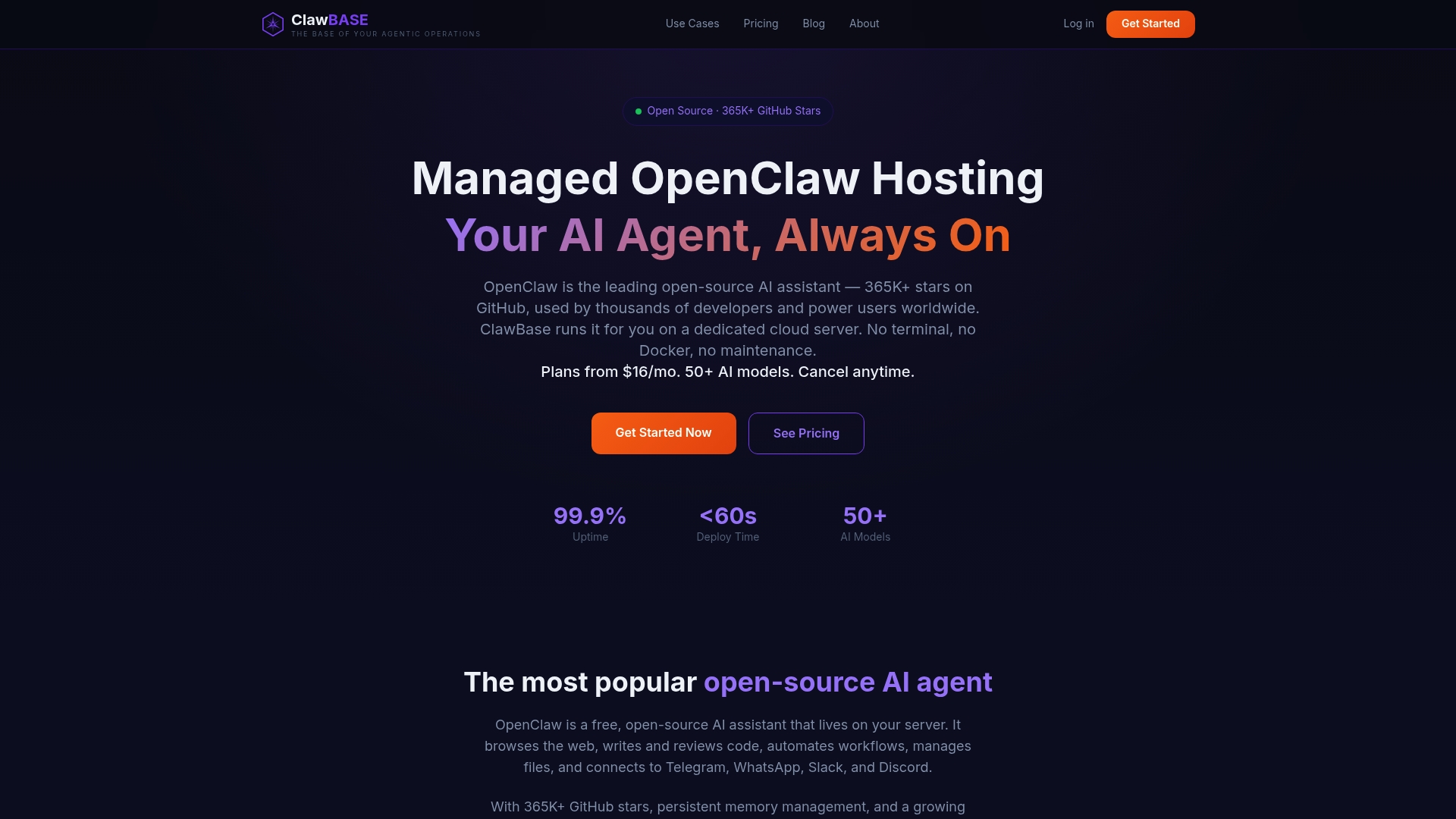
If you want an assistant that can actually use tools, such as managing files, driving a browser or messaging you on Telegram, you do not have to build the loop yourself. ClawBase deploys OpenClaw on a dedicated, encrypted server in one click, with daily encrypted backups and automated updates, and no sysadmin skills required.
Plans start at $16 per month for LITE (or $199 per year), with PRO at $33 per month and MAX at $66 per month, and the entry plan includes a 7-day free trial. See ClawBase plans and pricing to compare them.
New to the setup? The OpenClaw tutorial walks through configuring your agent. For background on what a plain-English call looks like, read our guide to AI function calling, and for why this all benefits from always-on hosting, see why AI assistants need servers. If security is your main concern, our checklist on secure AI assistant hosting covers what to check.
Choosing the right approach
| Your situation | Best fit |
|---|---|
| You need the model to trigger your own business logic | Custom functions |
| You need web search or sandboxed code without building it | Provider-hosted tools |
| You want a shared, reusable catalog of tools across apps | MCP servers |
| You only need a parsed, structured answer | Structured output |
| You want an assistant that already has tools and runs 24/7 | A managed OpenClaw server |
FAQ
Is function calling the same as tool calling?
For practical purposes, yes. Vendors use the names interchangeably, and their docs describe one mechanism: the model returns a structured request and your application executes it. The finer distinction is that a function is one kind of tool, while tools can also include built-in search, code execution and MCP servers.
Does the AI model run the function itself?
No. The model outputs the function name and JSON arguments. Your application runs the code and sends the result back, and the model then writes the final reply. Built-in server tools are the exception in the sense that the provider's infrastructure runs them, but the model still only requests them.
Do I need MCP if I already use function calling?
Not necessarily. Function calling works on its own with tools you define. MCP becomes useful when you want standardized tool discovery and hosted servers shared across applications, and the two can work together, with function calling as the interface to an MCP server.
How many tools should I give an assistant?
Google's guidance for Gemini is to keep the active tool set to about 10 to 20 tools. Fewer, clearly named tools with specific parameter types make it easier for the model to choose correctly and for you to validate each call.
Sources
- Function calling, OpenAI
- Using tools, OpenAI
- MCP servers, OpenAI
- Tool use with Claude, Anthropic
- Introduction to function calling, Google Cloud Vertex AI
- Function calling with the Gemini API
- Tool Use and Function Calling in AI Agents, JetBrains
- What is tool calling in AI models?, Sanity
- What's The Difference Between Tools & Functions?
- MCP vs function calling: When to use each
- MCP Servers vs Function Calling, DataFaucet
- Function calling using LLMs, Martin Fowler's site
- What is function calling, or tool use?, Harvard Chan School
- What Is Tool Calling (Function Calling), Arize AI
- How do I ship AI features faster without endless rewrites?, Crontent