AI Assistant Without Coding Explained for Beginners
2026-06-04

An AI assistant without coding is a software tool that lets you automate tasks, draft content, and manage workflows by describing what you want in plain language, with no programming required. The industry term for these tools is "no-code AI assistants," and platforms like Lindy, ToolV, and Blink have made them genuinely accessible to anyone with a browser and a task to complete. No-code platforms generate the underlying code automatically from natural language instructions, so you never touch a terminal or write a single line of script. The result is a practical productivity layer that sits between you and your repetitive daily work.
How do AI assistants without coding work?
A no-code AI assistant operates on two core technologies: natural language understanding and visual workflow builders. You describe what you want the assistant to do, and the platform translates that description into executable logic. This is fundamentally different from typing a question into a general chatbot.

True AI assistants connect to your personal tools, including your calendar, email, and CRM, and perform autonomous background actions. A general chatbot like a standalone conversational interface only responds to what you type in the moment. An AI assistant, by contrast, monitors your inbox, detects emails that need follow-up, and drafts replies without you asking each time.
Here is what that looks like in practice:
- Email triage: The assistant scans incoming messages, labels them by priority, and drafts responses for your review.
- Calendar scheduling: It checks your availability, proposes meeting times, and sends invites automatically.
- Task creation: It converts action items from meeting notes into to-do entries in tools like Notion or Trello.
- Data lookup: It pulls contact details from a CRM and populates a draft email with the right name and context.
- Content drafting: It generates first drafts of social media posts or weekly summaries based on your notes.
Microsoft describes AI assistants like Copilot as tools that draft, summarize, and organize, but always require human review before acting on anything sensitive. That framing is worth holding onto. These tools are fast, predictable, and tireless, but they are not making judgment calls on your behalf.
Pro Tip: *Think of your AI assistant as a very capable intern. It executes instructions precisely and quickly, but you still need to check the output before it goes anywhere important.*
What are the top no-code AI assistant platforms?
Choosing the right platform depends on what you need to automate and how much you want to spend. The table below compares four platforms that represent the current range of options for non-technical users.
| Platform | Free tier | Best for | Key integrations | Unique feature |
|---|---|---|---|---|
| ToolV | Yes, 1 project, 5 builds/day | Building custom AI tools | Web apps, APIs | Describe-to-build interface |
| Lindy | Yes, limited workflows | Cross-app automation | Gmail, Slack, HubSpot | Drag-and-drop workflow design |
| Blink | Limited trial | Team productivity | Microsoft 365, Slack | Pre-built automation templates |
| OpenClaw via Clawbase | Paid from $16/mo | Private, always-on agents | Telegram, Discord, files | 50+ AI models, persistent memory |
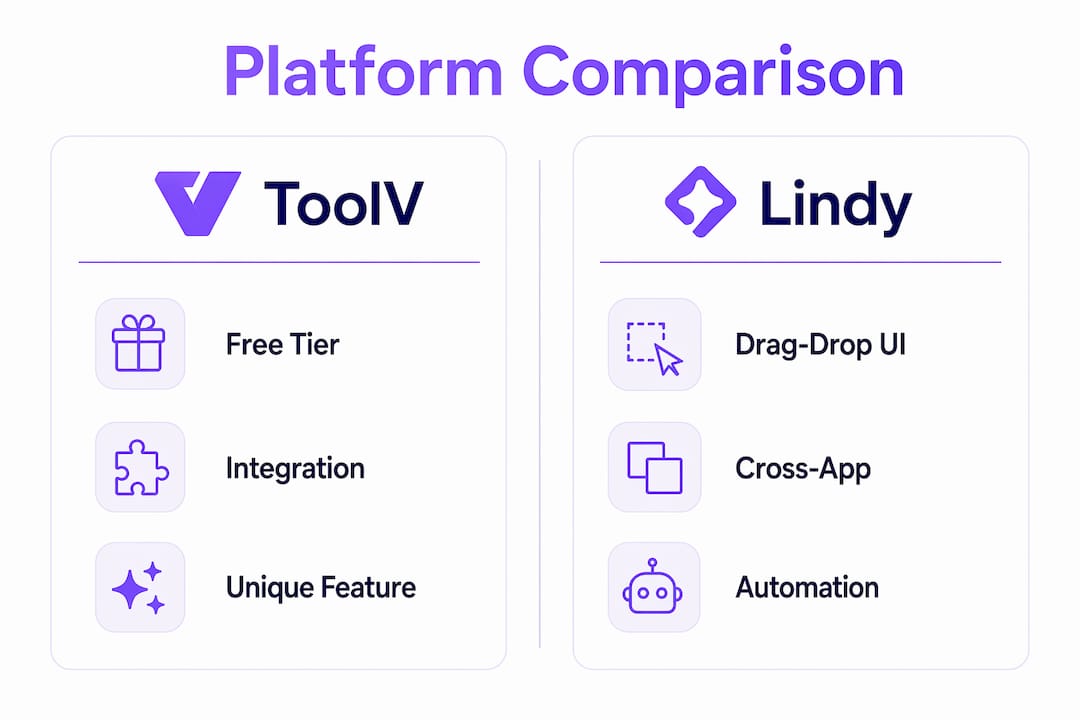
One platform provides 1 project with 5 AI builds per day free, with no credit card required. That matters because it removes the financial risk from experimentation entirely. You can test whether a no-code AI assistant actually fits your workflow before committing to a subscription.
Lindy stands out for users who need cross-app automation. Its drag-and-drop interface lets you chain together triggers and actions across Gmail, Slack, and HubSpot without writing any logic yourself. ToolV takes a different approach: you describe the tool you want to build in plain English, and the platform generates a working app. Blink targets team environments with pre-built templates that cover common office workflows.
For users who want a private, self-contained AI agent rather than a cloud-based SaaS tool, OpenClaw deployed through Clawbase offers a distinct path. It runs on a dedicated server with 99.9% uptime, persistent memory across sessions, and access to over 50 AI models. The setup takes one click rather than a sysadmin weekend.
How to use your no-code AI assistant effectively
Getting reliable results from a no-code AI assistant is less about finding the perfect platform and more about how you communicate with it. The C3 formula is the most practical framework for this: Context, Clarity, and Constraints.
Follow these steps when designing any workflow or prompt:
- Set the context. Tell the assistant who you are, what the task involves, and what outcome you need. "You are helping me manage my freelance client inbox. I receive about 20 emails per day."
- Be clear about the output. Specify exactly what you want back. "Draft a two-sentence reply acknowledging receipt and confirming a 48-hour response window."
- Add constraints. Define what the assistant should not do. "Do not promise specific deadlines. Do not use formal legal language."
- Test with a simple case first. Run the workflow on one real example before applying it broadly. This surfaces edge cases before they cause problems.
- Iterate the prompt. If the output is off, adjust one variable at a time. Iterative refinement consistently outperforms trying to write a perfect prompt on the first attempt.
Privacy is the other critical dimension. The Postcard Rule is a clean mental model: never share information in an AI prompt that you would not feel comfortable writing on a postcard. That means no Social Security numbers, no client passwords, and no confidential contract terms. Most no-code platforms route your data through third-party AI APIs, so treat every prompt as semi-public.
Pro Tip: *Build a personal prompt library. Save your best-performing C3 prompts in a notes app so you can reuse and refine them rather than starting from scratch each time.*
For a deeper look at how AI assistants handle autonomous scheduling, the Clawbase guide on scheduling tasks with AI covers practical workflows you can adapt immediately.
What can you achieve with an AI assistant without coding?
The productivity gains from no-code AI tools are most visible in repetitive, structured tasks. Practical AI tasks include email triage, calendar management, automated follow-ups, content drafting, and data research, all achievable without a single line of code. That list covers a significant portion of what most knowledge workers spend their mornings doing.
Here is what realistic daily use looks like across different personal and small business scenarios:
- Email follow-up automation: Set a trigger so that any email you send without a reply after three days automatically gets a polite follow-up drafted and queued for your approval.
- Meeting prep briefs: Before each calendar event, the assistant pulls the attendee's LinkedIn profile, your last email exchange, and any shared documents into a one-page brief.
- Social media drafting: Feed the assistant your weekly notes or a blog post URL, and it generates three platform-specific post drafts for LinkedIn, X, and Instagram.
- Personal task management: Connect your email to a task manager like Todoist or Notion. The assistant converts starred emails into tasks with due dates extracted from the message body.
- CRM updates without manual entry: After a sales call, paste your notes into the assistant. It formats and logs the update directly into HubSpot or Airtable.
The AI-driven office automation space has matured enough that these workflows are not experimental. They run reliably for non-technical users who invest a few hours in setup. The compounding effect is what makes them worth the upfront time: a workflow you configure once on a Monday morning can save you 30 minutes every day for the next year.
For users exploring what a persistent AI agent can do beyond single-task automation, the OpenClaw use cases page shows how AI assistants integrate with calendars, CRMs, and communication tools in a private, always-on environment.
Key takeaways
No-code AI assistants deliver real productivity gains when you combine the right platform with structured prompting and clear task boundaries.
| Point | Details |
|---|---|
| No-code means no programming | Platforms like ToolV and Lindy use natural language and visual builders to create working AI workflows. |
| AI assistants differ from chatbots | True assistants connect to your apps and act autonomously; chatbots only respond to direct prompts. |
| C3 formula drives reliable output | Structuring prompts with Context, Clarity, and Constraints produces consistent, usable results. |
| Privacy requires active management | Apply the Postcard Rule: never input sensitive data you would not share publicly. |
| Start small and iterate | Simple, focused workflows built and refined over time outperform complex setups built all at once. |
What I actually learned from six months of no-code AI tools
I came into this space skeptical. My assumption was that no-code AI platforms were simplified toys that would hit a ceiling the moment I tried anything beyond a demo workflow. I was wrong about the ceiling, but right that the learning curve exists.
The first two weeks were frustrating in a specific way. I kept writing prompts that were too vague, then blaming the tool when the output was generic. Once I started applying the C3 formula consistently, the quality of results shifted noticeably. Context is the variable most beginners skip. When I told the assistant exactly who I was, what the task involved, and what format I needed, the outputs went from passable to genuinely useful.
My most-used workflow ended up being the simplest one: a daily email digest that summarizes unread messages by priority and drafts replies for anything flagged urgent. It took about 45 minutes to configure in Lindy and has not needed adjustment in three months. That is the pattern I keep seeing. The workflows that stick are narrow, well-defined, and solve one specific friction point.
The privacy dimension is where I think most beginners underestimate the risk. It is easy to paste an entire email thread into a prompt without thinking about what client data is in it. The Postcard Rule is not paranoia. It is a practical habit that protects both you and the people you work with.
My advice: pick one task you do manually every day, build the simplest possible workflow for it, and run it for two weeks before adding anything else. The productivity gains from AI compound faster than you expect once you have one reliable workflow running.
> *— Iosif Peterfi*
How Clawbase takes no-code AI assistants further
If you have tested a no-code AI assistant and want something more private, more persistent, and more capable than a standard SaaS subscription, Clawbase is worth a close look.

Clawbase provides managed OpenClaw hosting starting at $16 per month, with one-click deployment on a dedicated server. You get a private AI agent with 99.9% uptime, persistent memory across sessions, and access to over 50 AI models, with no sysadmin work required. It connects natively to Telegram and Discord, making it practical for both personal task automation and small team use. If you want to move beyond shared cloud platforms and run an AI assistant that is genuinely yours, the Clawbase pricing page shows exactly what each plan includes. Getting started takes about five minutes.
FAQ
What is a no-code AI assistant?
A no-code AI assistant is a software tool that automates tasks and workflows using natural language instructions or visual builders, requiring no programming knowledge. Platforms like Lindy and ToolV are leading examples.
How is an AI assistant different from a chatbot?
AI assistants integrate with your apps and perform autonomous actions like scheduling or email triage, while chatbots only respond to direct conversational prompts without connecting to external tools.
Is it safe to use AI assistants for personal tasks?
AI assistants are safe for most personal tasks when you follow the Postcard Rule: never input sensitive data such as passwords, financial details, or confidential client information into a prompt.
Do I need to pay to try a no-code AI assistant?
No. Several platforms offer free starter tiers. ToolV provides one free project with five AI builds per day, no credit card required, making it a practical starting point for beginners.
What tasks are best suited for a no-code AI assistant?
Email triage, calendar scheduling, content drafting, automated follow-ups, and CRM updates are the highest-value starting points. These tasks are repetitive, structured, and well-suited to the strengths of current AI assistant platforms.